Documentation: Memory Check Node
Overview
The Memory Check node checks whether a key exists in Redis and, if it does, retrieves its value and TTL (time to live). Unlike Memory Get, this node does not fail when the key does not exist: it uses conditional connectors to branch the flow based on the result.
Node type: memory_check
Class: action
Package: pkg/automationnode/memorynodes
When to Use This Node
Use this node when you need to:
- Check if a key exists before reading (avoid errors when the key may not exist)
- Implement conditional cache logic: if value exists, use it; if not, compute and store with Memory Set
- Use the
ttlfield to know how long until the key expires - Branch the flow based on whether a value is in memory
Node Configuration
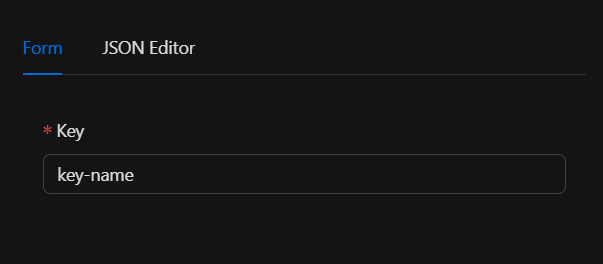
The node requires a single input parameter: the key to look up in Redis. You can configure it in the Form view or the JSON Editor.
JSON Structure (Input Parameters)
{
  "key": "key-name"
}
Required Fields
| Field | Type | Description |
|---|---|---|
key |
string | The key to look up in Redis |
The key can be defined using the engine's template system, for example: {{previous_node.output_field}}.
Example Configuration
{
  "key": "my_cache_variable"
}
Output
The output content depends on whether the key exists or not:
When the key exists (in_memory connector)
| Field | Type | Description |
|---|---|---|
value |
string | The value stored in Redis for the key |
ttl |
string | Remaining time to live in seconds ("-1" if it never expires) |
When the key does not exist (not_in_memory connector)
The output is an empty object (no value or ttl).
Example Output (key exists)
{
  "value": "stored_content",
  "ttl": "3600"
}
You can reference this output in subsequent nodes using template expressions, e.g. {{memory_check.value}}.
Connectors
| Connector | Description |
|---|---|
in_memory |
The key exists in Redis; the output includes value and ttl |
not_in_memory |
The key does not exist, or an error occurred when querying Redis |
These connectors let you branch the flow: for example, connect in_memory to a node that uses the value, and not_in_memory to one that stores it or performs an alternative action.
Validation
keymust be a non-empty string.- If
keyis not a string or is empty, validation fails and the node does not run.
Dependencies
- Redis: The node uses
redis_singleton.GetRedisProducer(). Redis configuration must be defined in environment variables (REDIS_URL,REDIS_PASSWORD).
Error Handling
If an error occurs when querying Redis (for example, connection failure):
- The node returns the error to the engine.
- The output contains:
value: "",exists: false,ttl: "0". - The connector emitted is
not_in_memory.
The GetFallbackConnector is continue, although in the current implementation errors are handled by emitting not_in_memory in the result.
Related Nodes
| Node | Description |
|---|---|
Memory Set (memory_set) |
Stores a value in Redis with key, value, and optional TTL |
Memory Get (memory_get) |
Retrieves a value; fails if the key does not exist |
Typical Usage
- Check before reading: Avoid errors when the key may not exist. Instead of using Memory Get directly, use Memory Check and branch based on
in_memory/not_in_memory. - Conditional cache: Check if a value is in cache; if it exists, use it; if not, compute it and store it with Memory Set.
- Expiration logic: Use the
ttlfield to know how long until the key expires.
Example Flow
[Trigger] → [Memory Check (key: "session_data")]
                ├─ in_memory     → [Use value in next node]
                └─ not_in_memory → [Memory Set] → [Continue flow]
Example with additional logic
[Memory Check] ─in_memory──→ [Node A: use value]
[Memory Check] ─not_in_memory─→ [Memory Set] → [Node B: newly stored value]
Internal Structure (Developer Reference)
The node is registered in pkg/nodelinker/node_linker.go:
"memory_check": memorynodes.NewMemoryCheckAutomationNode,
type MemoryCheckNode struct {
    Key string
}

type MemoryCheckAutomationNode struct {
    automation.AutomationNode
    MemoryCheckNode MemoryCheckNode
    logger          *zap.SugaredLogger
}