Documentation: Memory Get Node
Overview
The Memory Get node retrieves a value stored in Redis by its key. It is part of the memory nodes (memorynodes) that use Redis as shared storage between automation executions. Use this node when you need to read a value that was previously stored by a Memory Set node or by another process.
Node type: memory_get
Class: action
Package: pkg/automationnode/memorynodes
When to Use This Node
Use this node when you need to:
- Retrieve a value previously stored by a Memory Set node
- Share data between automation executions or sessions
- Read cached data (e.g. session IDs, tokens, counters) for use in subsequent nodes
Node Configuration
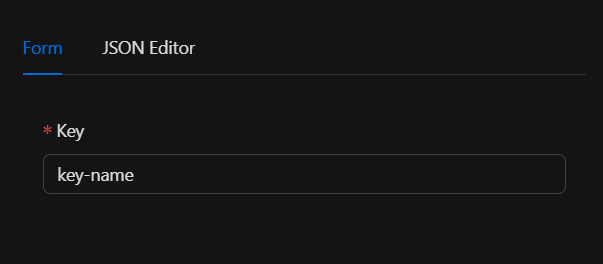
The node requires a single input parameter: the key with which the value was stored in Redis. You can configure it in the Form view or the JSON Editor.
JSON Structure (Input Parameters)
{
  "key": "key-name"
}
Required Fields
| Field | Type | Description |
|---|---|---|
key |
string | The key with which the value was stored in Redis |
The key can be defined using the engine's template system, for example by referencing the output of a previous node: {{previous_node.output_field}}.
Example Configuration
{
  "key": "my_cache_variable"
}
Output
The node produces an object with the retrieved value:
| Field | Type | Description |
|---|---|---|
value |
string | The value stored in Redis for the given key |
Example Output
{
  "value": "stored_content"
}
You can reference this output in subsequent nodes using template expressions, e.g. {{memory_get.value}}.
Connectors
| Connector | Description |
|---|---|
continue |
Emitted whenever execution completes successfully |
The node does not define conditional connectors. It always emits continue on success. On error, the flow depends on the node's OnError configuration (stop_workflow, continue, or continue_error_output).
Validation
keymust be a non-empty string.- If
keyis not a string or is empty, validation fails and the node does not run.
Dependencies
- Redis: The node uses
redis_singleton.GetRedisProducer()to connect to Redis. Redis configuration must be defined in environment variables (REDIS_URL,REDIS_PASSWORD).
Error Handling
- If the key does not exist in Redis, the client returns an error and execution fails.
- If there is no connection to Redis or the
GEToperation fails, an error is returned.
For flows where the key might not exist, consider using the Memory Check node (memory_check), which provides conditional connectors in_memory / not_in_memory based on whether the key exists.
Related Nodes
| Node | Description |
|---|---|
Memory Set (memory_set) |
Stores a value in Redis with key, value, and optional TTL |
Memory Check (memory_check) |
Checks if a key exists and retrieves value and TTL |
Typical Usage
- Retrieve a previously stored value: After a Memory Set node stores a value, a Memory Get node can retrieve it for use in later nodes.
- Share data between executions: Values in Redis persist across executions, allowing you to share data between different automations or sessions.
Example Flow
[Trigger] → [Memory Set (key: "session_id", value: "abc123")] → [Memory Get (key: "session_id")] → [HTTP Request (using {{memory_get.value}})]
Internal Structure (Developer Reference)
The node is registered in pkg/nodelinker/node_linker.go:
"memory_get": memorynodes.NewMemoryGetAutomationNode,
type MemoryGetNode struct {
    Key string
}

type MemoryGetAutomationNode struct {
    automation.AutomationNode
    MemoryGetNode MemoryGetNode
    logger        *zap.SugaredLogger
}