Trigger: Event (event)
This trigger starts an automation when the system receives one or more event types. Optionally, you can narrow it down by domains and/or objects.
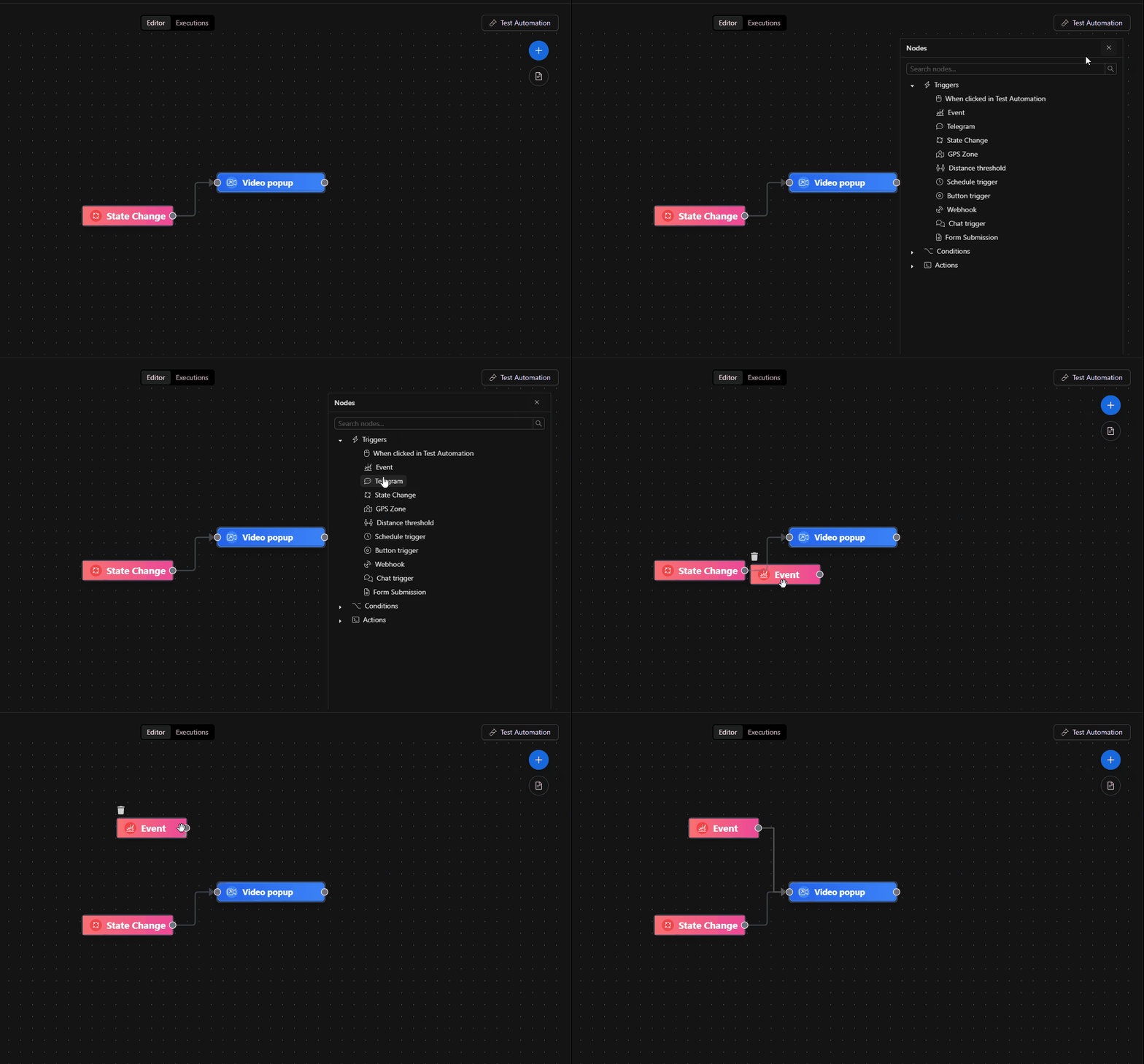
When to use it?
- When you want to react to system events: alarms, state changes published as events, panic buttons, analytics events, integrations, etc.
- When you already have an "Event Type" defined and want it to fire a flow.
If you need a manual trigger (for testing), use the "When clicked in Test Automation" trigger.
If you want to receive external HTTP calls, use Webhook.
How to configure it (recommended: using the form)
Most users should configure this node from the Form tab (it's safer and avoids formatting errors).
Step 0) Open the parameters
- In the automations canvas, double-click the Event node.
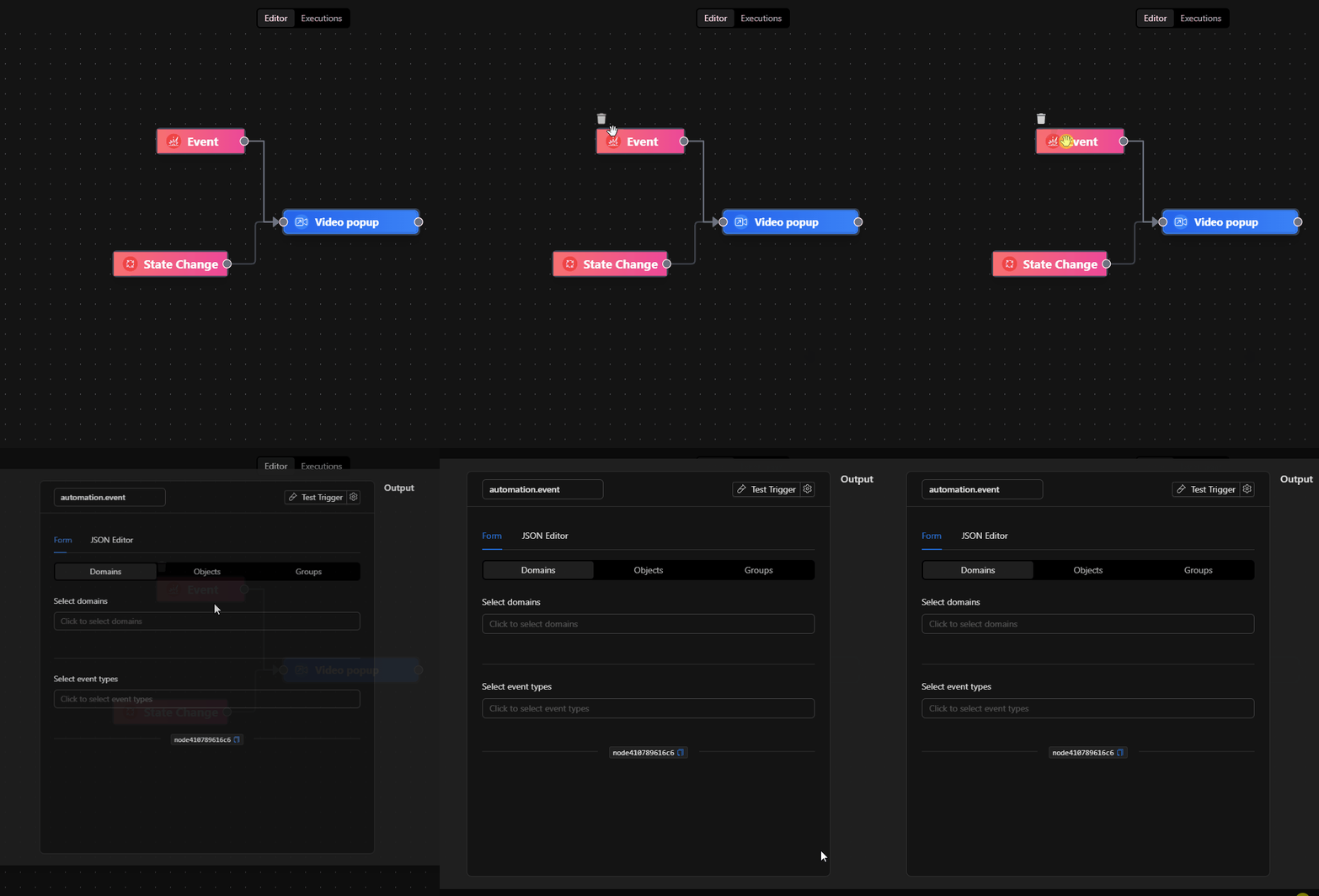
Step 1) Choose the scope by Domain / Objects
At the top you'll see a selector with 3 sections:
- Domains: filter by one or more domains.
- Objects: filter by one or more objects (from the tree).
- Groups: placeholder (visible in the UI but currently not applicable to this trigger).
Option A — Domains (optional)
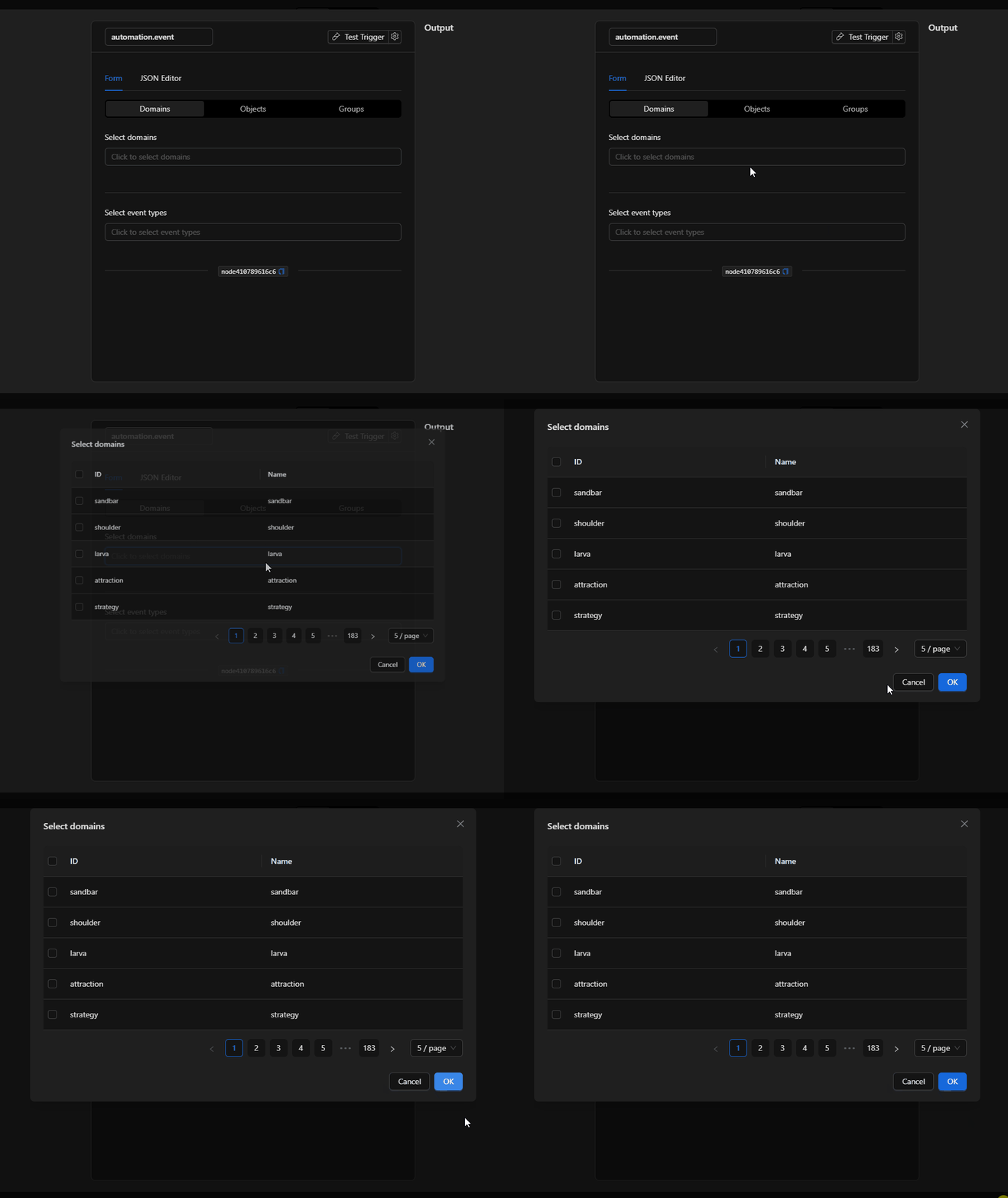
- Select Domains.
- Click Select domains and check one or more.
- If left empty, it applies to any domain.
Option B — Objects (optional)
- Select Objects.
- Choose objects from the tree.
- If left empty, it applies to any object.
Step 2) Select "Event Types" (recommended)
This step defines which events trigger the automation.
- In Select event types, click to open the selector.
- Choose one or more Event Types.
- Each selection appears as a tag; you can remove it with the "x".
Step 3) Validate with a real test
- If the flow doesn't fire: temporarily leave
DomainsandObjectsempty and keep only Event Types to rule out overly strict filters. - If the flow fires too often: add a filter by Objects and/or reduce Event Types.
What it configures exactly (input structure) (advanced / reference)
This node stores its configuration in input with the following structure:
{
  "ruleSet": {
    "objects_id": ["..."],
    "domains": ["..."],
    "event_types": ["..."]
  },
  "config": {}
}
ruleSet.event_types: list of event type IDs/keys that will trigger the flow.ruleSet.objects_id: list of object IDs. If empty, it does not filter by object.ruleSet.domains: list of domains. If empty, it does not filter by domain.config: currently saved as an empty object ({}).
Important: the "Groups" selector appears in the UI but is not implemented in this trigger (it remains a placeholder).
How to configure it (JSON Editor) (expert users only)
The JSON Editor tab is useful for:
- Copying/pasting configurations between flows.
- Making bulk changes (e.g., pasting 20 object IDs).
- Reviewing the actual "shape" stored in the node.
Minimal example (filter by event type only):
{
  "ruleSet": {
    "domains": [],
    "objects_id": [],
    "event_types": ["alarm_panel.state.change"]
  },
  "config": {}
}
Example scoped by objects:
{
  "ruleSet": {
    "domains": [],
    "objects_id": ["obj_123", "obj_987"],
    "event_types": ["alarm_panel.state.change"]
  },
  "config": {}
}
Example scoped by domain + multiple event types:
{
  "ruleSet": {
    "domains": ["access_control"],
    "objects_id": [],
    "event_types": ["door.forced", "door.held_open"]
  },
  "config": {}
}
Quick guides (recipes)
Recipe A — "When X happens, send a notification"
- Trigger Event:
event_types = ["<your_event_type>"] - Action: Notify / Send Telegram / Send Email (depending on your case)
Recommendation: first test it with the flow deactivated using real/expected events.
Recipe B — "React only to a specific object"
- Objects: select the object (or paste its ID in
objects_id) - Event types: choose the event type
This avoids triggering from "noise" coming from other devices.
Recipe C — "Same event, different routes"
If you need to branch based on conditions (e.g., different time windows or severity levels):
- Trigger Event (general)
- Condition nodes (e.g. If, Datetime, Switch) to decide
- Actions in each branch
Best practices
- Choose event types as specifically as possible: reduces unnecessary executions.
- Filter by objects when you know the source (specific camera/sensor/door).
- Avoid huge lists of objects if you can resolve it by domain (more maintainable).
- Name the node with intent: "When
door.held_openon Main Entrance".
Common issues (troubleshooting)
- Never fires
- Verify that the Event Type exists and is correctly written/selected.
- Try leaving
domainsandobjects_idempty to rule out overly strict filters. -
Confirm the system is actually generating that event type (check the event log if available).
-
Fires too often
- Add a filter by Objects.
- Restrict
event_typesto fewer keys. -
Consider adding an additional condition (e.g., a time window).
-
The "Groups" selector does nothing
- This is expected: it is currently visible but not implemented in this node.
Internal references (to locate it in the editor)
- Node key:
event - Class:
trigger - Parameters: Form and JSON Editor tabs
If you are creating an automation "from an event" (for example, from an event log), this trigger is pre-configured with:
ruleSet.event_types = [eventKey]ruleSet.objects_id = [...](if you choose "and this object")