Dashboard Tree
The Netsocs Synergy dashboard is a tool that allows users to manage resources through a hierarchical structure that facilitates organization and data access.
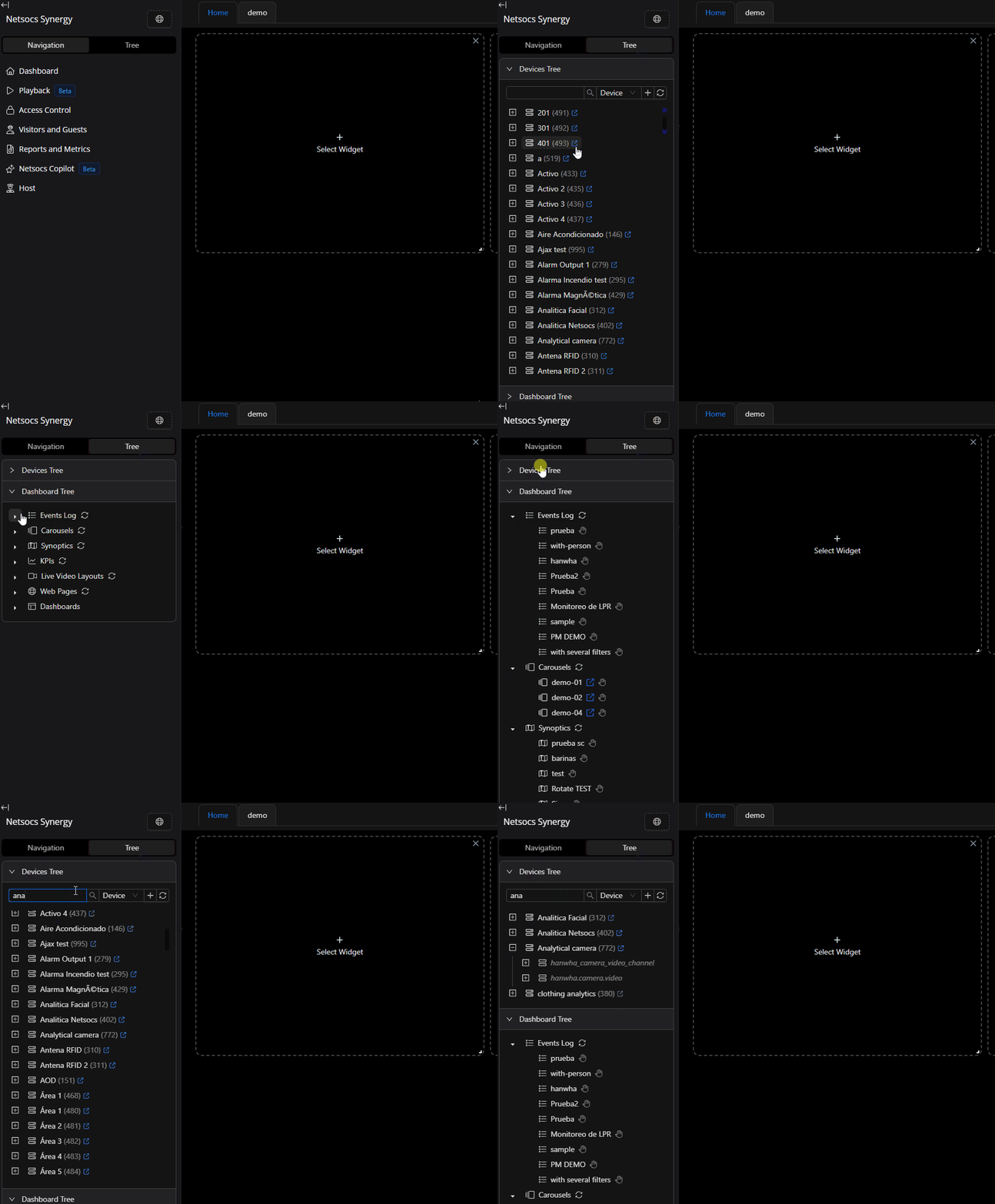
Device Tree
Initially it comprises three levels of hierarchy:
-
 Devices:
- Devices are the basic elements of the hierarchy. It is the element that one creates when adding a device to the platform through an integration.
- Devices can have different states that indicate whether they are functioning correctly or not. When the state is 'abnormal', a warning icon will be displayed:

- Online: The device is connected to the platform and is functioning correctly. No warning icon will be displayed.
 Offline: Netsocs lost connection with the device and operations with it are stopped.
 Configuration Error (ConfigurationFailure): Netsocs detected an invalid configuration on the device and stopped operations. This is usually due to an error in a device's extra fields.
 Authentication Error (AuthenticationFailure): The device access credentials are not valid.
 Duplicated (DuplicatedDevice): The device already exists on the platform and cannot be added again.
 Devices contain a button that allows viewing device details.
- After the device name, the device ID is shown in parentheses.
-
Domains: Domains are groups of objects based on their type and functionality. The icon may vary depending on the type of object it contains.
- Objects: Objects are the building blocks of Netsocs Synergy. The icon may vary depending on the object type.
Device Details

We can view device details, the objects it contains, review audit logs, and see its state history.
Device Information
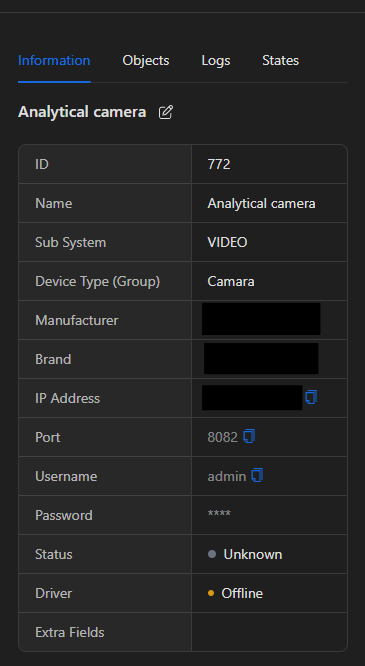
In this section we can view and edit device information (if we have the editDeviceData permission).
- ID: The device ID.
- Name: The device name.
- SubSystem: The subsystem to which the device belongs. Can be: VIDEO, ALARMS, ACCESS, LOCATION, AUDIO, CONTROL, IOT/IIOT, NETWORKS, ENERGY, SOFTWARE, APP, VEHICLE, DEMO. (dh version: 0.65.3). Each new version of Netsocs Synergy may add new subsystems.
- DeviceType: The device type. Can be Fire Detection, Intrusion Sensors, Card Readers, Public Address, Audio Monitoring, Camera, Auxiliary Device, Analog I/O, Lighting, Comfort, Building Management, NVR, Mobile App, Video Channel, Heavy Vehicle, Logistics Vehicle, Motorcycle, General Smart City, Humidity Sensor, Temperature Sensor, Color Sensor, Weight Sensor, RFID, Native RTSP, Door Controller, Video Analytics, Identity Management, Drone, User Interface, Environmental Sensor, Health Sensor, Security Sensor, Industrial Sensor, Energy Sensor, Fire Detection System, Fire Prevention & Control, Synoptic Icon, Elevator, Air Conditioning, Biometric, VMS, Alarm Panel, Alarm Manager, IoT Kit, Access Controller, Alarm Area, Alarm Zone, Demo Device, Lidar, Network Sniffer. (dh version: 0.65.3). Each new version of Netsocs Synergy may add new device types.
- Manufacturer: The device manufacturer.
- Brand: The device brand.
- IP Address: The device IP address.
- Port: The device port.
- Username: The device username.
- Password: The device password. This is not visible as it is encrypted within the database. The field exists for when you want to edit the device password.
- States: The device state.
- Extra Fields: The device's additional fields. These are fields used to store additional device information, normally configuration parameters required for the integration.
Device Objects
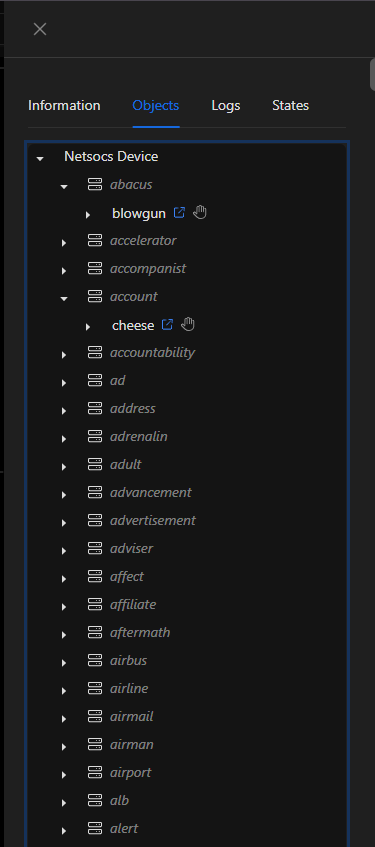
In this section we can view the objects contained by the device represented in a tree following the same hierarchy as the device tree.
Audit Logs
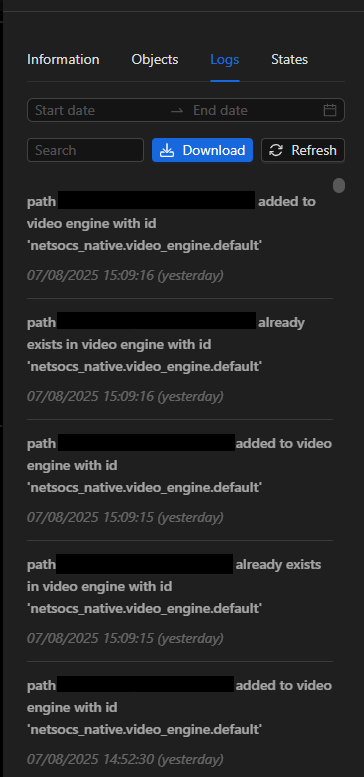
Audit logs are extremely useful for reviewing integration behavior, determining details when the device is in an abnormal state, and determining the origin of a problem.
This section allows filtering by date and time, and text search.
It is also possible to download audit logs in TXT format.
Dashboard Tree
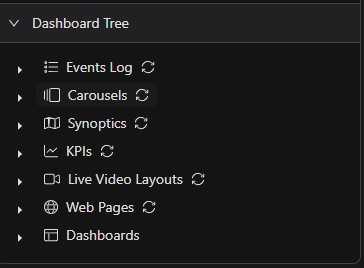
The dashboard tree is a powerful tool that allows management of the different interactive resources in the dashboard.