Netsocs, being a browser-based platform, uses iframes to integrate web pages directly into its interface.
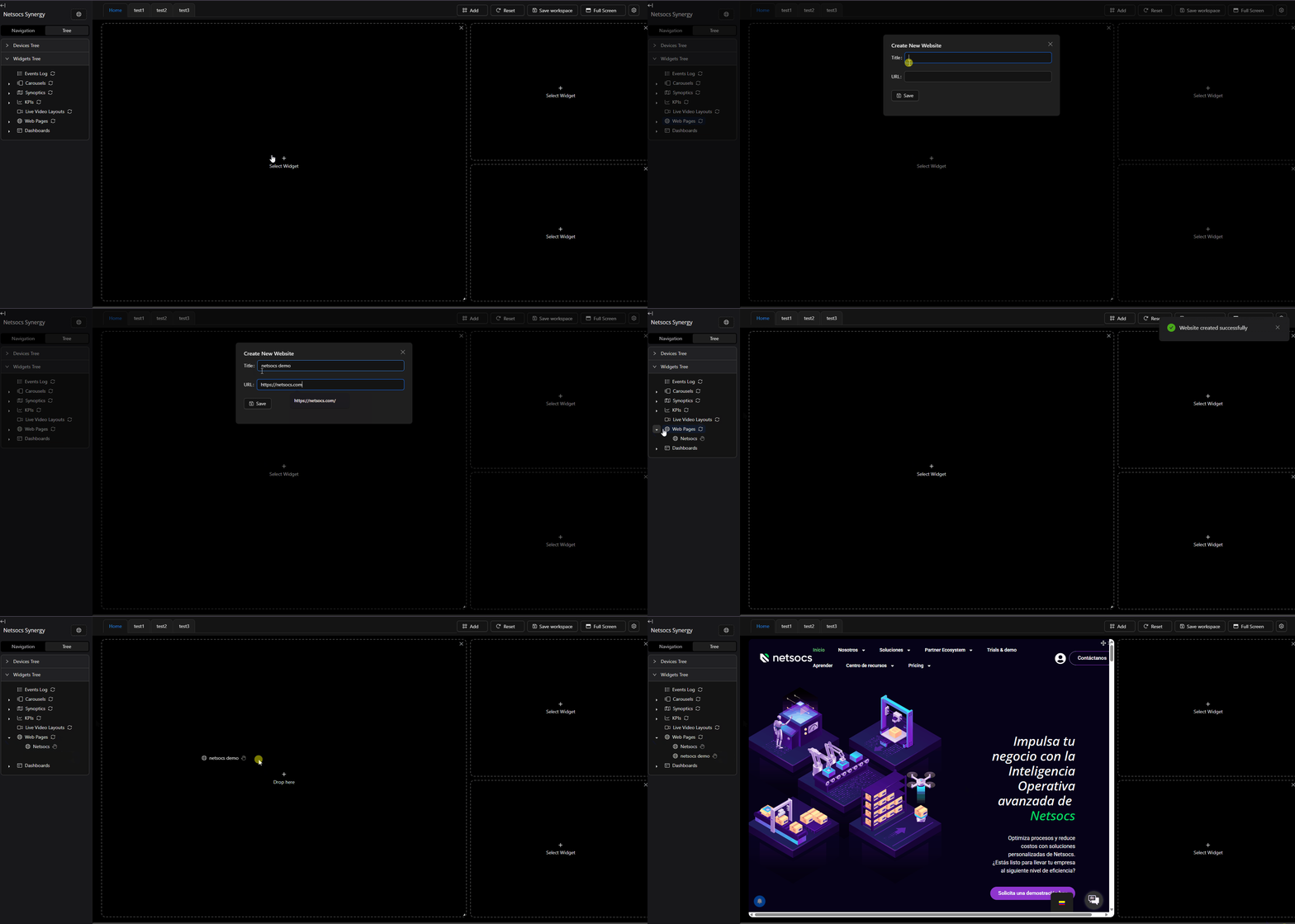
This functionality allows:
-
Remote configuration adjustments: Modify camera or other device parameters through embedded web interfaces.
-
External system integration: Access solutions like Access Control or video analytics without leaving the platform.
-
Multimedia content visualization: Play videos or download files from integrated web portals.
Note
Passwords entered on websites are automatically stored between sessions (as long as you don't manually close the session), speeding up recurring access.
Configuration
To create a web page, you must:
-
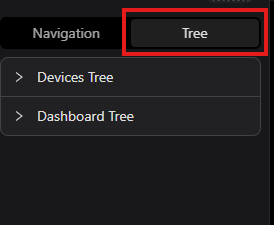
Activate Tree mode in the left navigation panel.
-
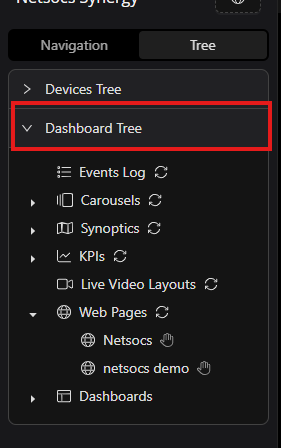
Open the Dashboard Tree.
-
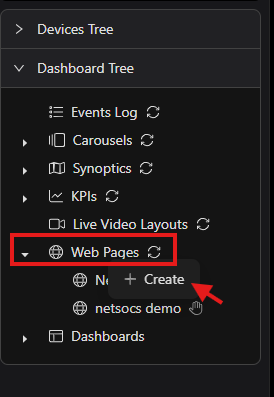
Right-click on "Web Pages" and select "Create".
-
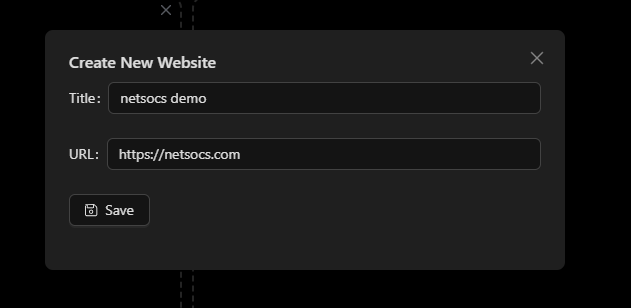
Fill in the form with the web page name and URL. Then click Save.
-
The web page will be created and displayed in the dashboard.

Usage
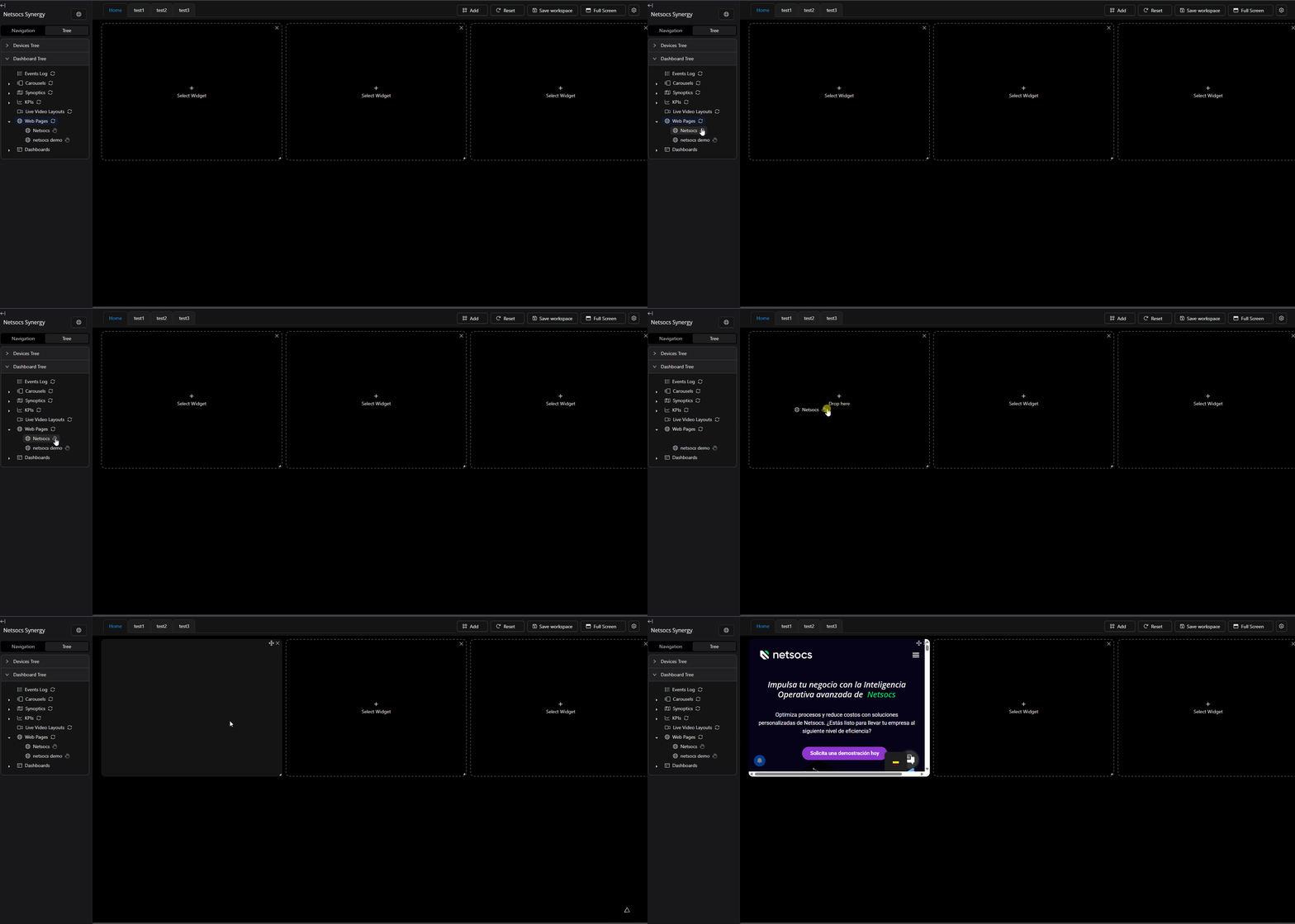
Once the web page is created, you can access it from the dashboard by dragging the web page icon to an empty widget.
Note
If the newly created web page icon is not found, you must refresh the list by clicking the refresh button.