Documentation: AWS Bedrock Action (AI Analysis)
Overview
The AWS Bedrock Action is an automation node that allows you to analyze images using the artificial intelligence models available in Amazon Bedrock (AWS's managed foundational models service, which includes models such as Anthropic's Claude, among others). It belongs to the AI Models node family.
In IoT and security environments, it is ideal for organizations that already operate on AWS and want to run camera image analysis through Bedrock, taking advantage of their infrastructure, governance, and centralized billing.
When to use this action?
Use this action when you need to:
- Analyze images from cameras with AI using models hosted on AWS Bedrock.
- Keep AI processing within the AWS ecosystem (governance, security, billing).
- Obtain structured descriptions (e.g., in JSON) of what is happening in an image.
Node Configuration
The node has two configuration tabs at the top: Form and JSON Editor.
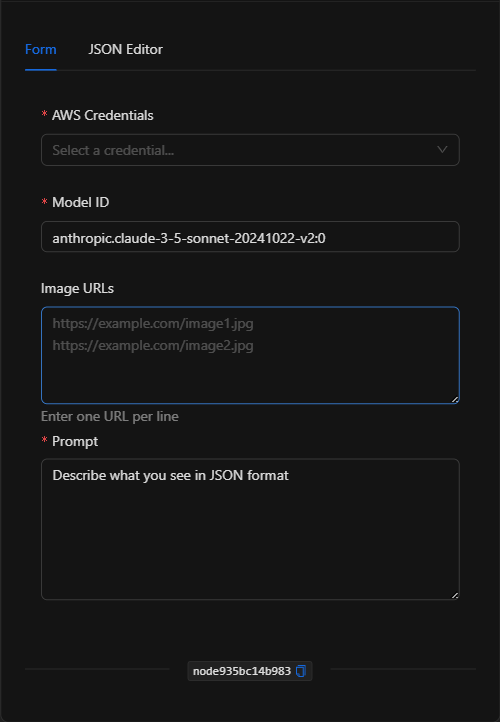
Form View
1. AWS Credentials *Required
Select the AWS credential (containing access_key_id, secret_access_key, and optionally session_token) to authenticate access to Bedrock. Managed in a centralized and secure way.
2. Model ID *Required
The identifier of the Bedrock model to use (e.g., anthropic.claude-3-5-sonnet-20241022-v2:0).
3. Image URLs
The URLs of the images to analyze (one per line). Supports template expressions (e.g., {{get_snapshot_node.url}}).
4. Prompt *Required
The instruction or question for the model. Supports template expressions.
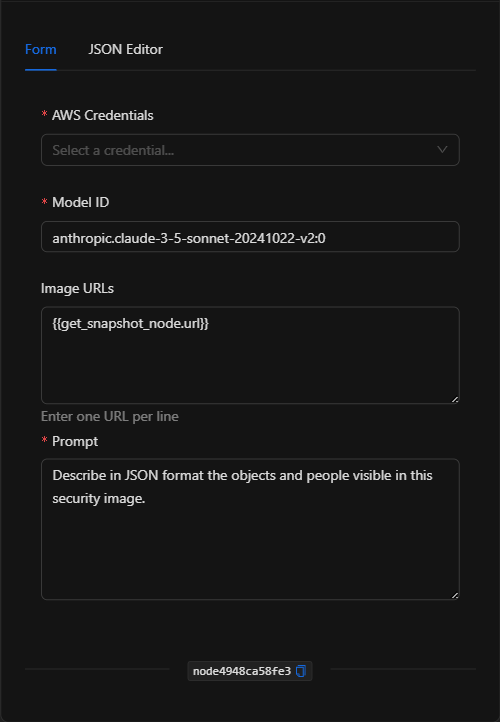
JSON Editor View
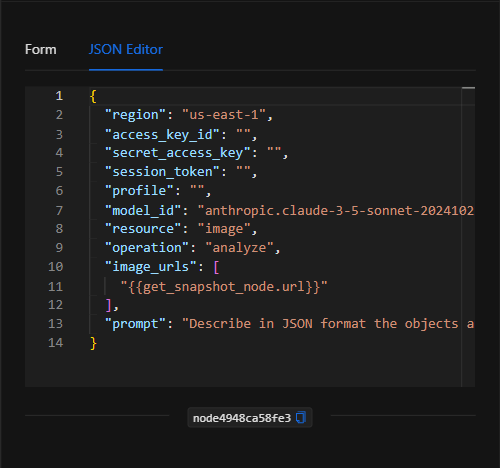
JSON Structure (Input Parameters)
{
  "region": "us-east-1",
  "access_key_id": "",
  "secret_access_key": "",
  "session_token": "",
  "profile": "",
  "model_id": "anthropic.claude-3-5-sonnet-20241022-v2:0",
  "resource": "image",
  "operation": "analyze",
  "image_urls": [
    "{{get_snapshot_node.url}}"
  ],
  "prompt": "Describe in JSON format the objects and people visible in this security image."
}
JSON Fields
| Field | Type | Description |
|---|---|---|
region |
string | AWS region (default us-east-1). |
access_key_id / secret_access_key / session_token |
string | References to the AWS credential (managed securely). |
profile |
string | AWS profile (optional). |
model_id |
string | Bedrock model ID (e.g. anthropic.claude-3-5-sonnet-20241022-v2:0). |
resource |
string | Resource type (image). |
operation |
string | Operation (analyze). |
image_urls |
array (string) | URLs of the images to analyze. |
prompt |
string | The instruction/question for the model. |
Output: Where the node's data comes from
The analysis result (text generated by the Bedrock model) is available in the node's output and can be used in downstream nodes with {{node_key}}.
Usage Examples
Example 1: Security image analysis via AWS
Use case: An organization operating on AWS analyzes a camera snapshot with a Bedrock model to obtain a structured description of objects and people.
- Model ID:
anthropic.claude-3-5-sonnet-20241022-v2:0 - Image URLs:
{{get_snapshot_node.url}} - Prompt:
Describe in JSON format the objects and people visible in this security image.
(see JSON structure above)
Validation and Errors
| Condition | Common cause / fix |
|---|---|
| Authentication error | The AWS credential is invalid or lacks permissions for Bedrock. |
| Model not available | Verify that the model_id is enabled in your AWS Bedrock account and region. |
| URLs not working | Make sure the image URLs are publicly accessible. |
Best Practices
- Use centralized credentials: Do not write AWS keys in the node; select a credential managed securely.
- Verify model access: Enable the desired model in the AWS Bedrock console for your region beforehand.
- Request structured outputs: Ask for JSON in the prompt when you plan to process the result in downstream nodes.
- Chain with snapshot capture: Typical pattern: Get snapshot → AWS Bedrock → condition/notification.