Documentation: SIP Call Node
Overview
The SIP Call Node is an action node that places a VoIP phone call through a SIP server and plays a pre-recorded audio message when the call is answered. It is ideal for critical audio notifications that require immediate attention from personnel, even when they are not in front of a screen.
In industrial IoT environments, this node can, for example, automatically call the shift operator's extension and play a voice announcement when a security alarm or a critical machinery failure is triggered.
When to use this node?
Use this node when you need to:
- Alert operational personnel by voice in response to critical events (fire alarms, intrusion, line stoppage).
- Escalate notifications to a more intrusive channel than a message (a phone call is hard to miss).
- Play pre-recorded announcements to internal extensions on the plant's PBX.
- Complement response protocols that require immediate human confirmation.
Node Configuration
The node has two configuration tabs at the top: Form and JSON Editor.
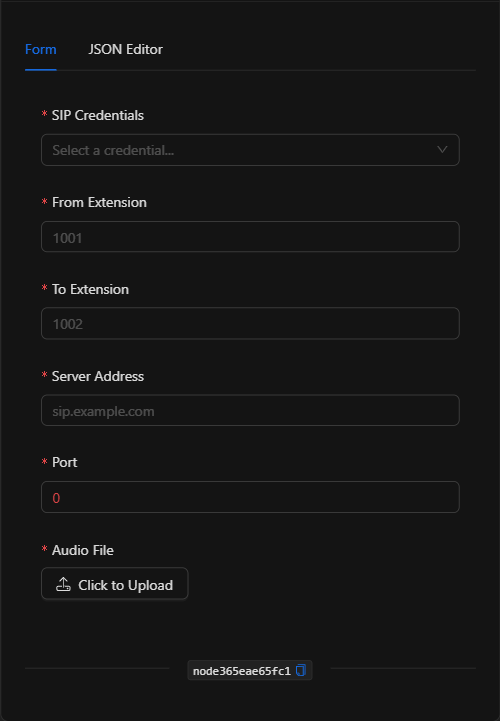
Form View
1. SIP Credentials *Required
Select the credential (of basic authentication type) containing the SIP username and password. Credentials are managed centrally and securely (not written into the node).
2. From Extension *Required
The extension from which the call is placed (e.g., 1001).
3. To Extension *Required
The extension being called (e.g., 2005).
4. Server Address *Required
The address of the SIP server / PBX (e.g., sip.industrial-plant.com).
5. Port *Required
The SIP server port. Typical value: 5060.
6. Audio File *Required
The audio file to be played when the call is answered. Click Click to Upload to upload a file in .wav, .mp3, or .ogg format. Once uploaded, the file name is displayed.
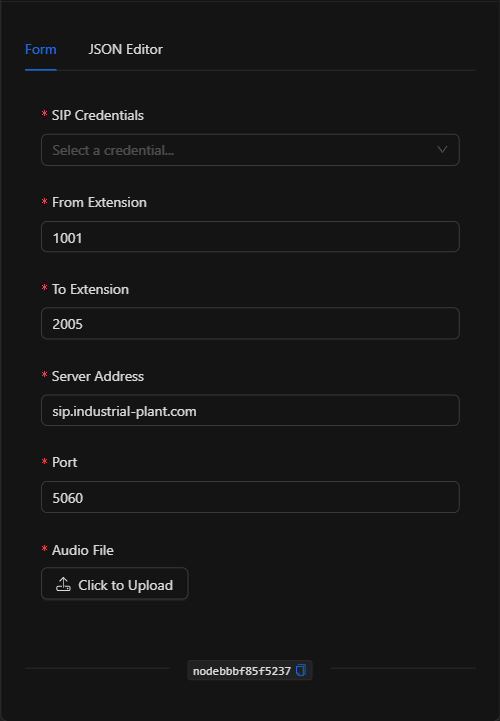
JSON Editor View
In the JSON Editor tab you can view and directly edit all call parameters:
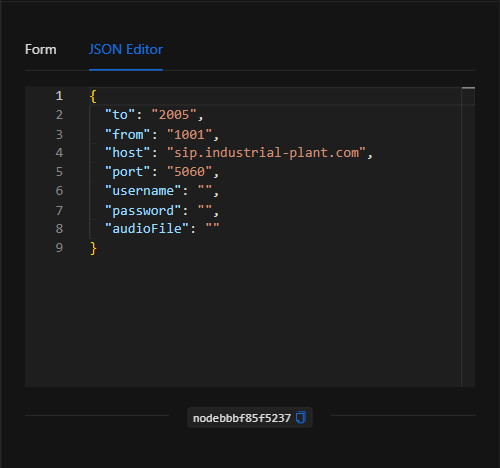
JSON Structure (Input Parameters)
The following shows the JSON structure generated when configuring the node:
{
  "to": "2005",
  "from": "1001",
  "host": "sip.industrial-plant.com",
  "port": "5060",
  "username": "",
  "password": "",
  "audioFile": ""
}
JSON Fields
| Field | Type | Description |
|---|---|---|
to |
string | Destination extension for the call. |
from |
string | Origin extension. |
host |
string | SIP server / PBX address. |
port |
string | SIP server port (typically 5060). |
username / password |
string | References to the selected SIP credential (managed securely). |
audioFile |
string | Name of the uploaded audio file to be played during the call. |
Output: Where the node's data comes from
When the call is placed successfully, the node finishes marked as successful (green border). Its primary effect is establishing the VoIP call and playing the audio on the destination extension; in the event of a SIP registration or connection failure, the node will report the error.
Usage Examples
Example 1: Intrusion alert call to the security booth
Use case: When a perimeter sensor detects an intrusion outside of business hours, a call is automatically placed to the security booth extension and a pre-recorded voice announcement is played.
- From Extension:
1001 - To Extension:
2005 - Server Address:
sip.industrial-plant.com| Port:5060 - Audio File:
intrusion_alert.mp3
Configuration JSON:
{
  "to": "2005",
  "from": "1001",
  "host": "sip.industrial-plant.com",
  "port": "5060",
  "audioFile": "intrusion_alert.mp3"
}
Example 2: Critical machinery failure notice to the shift supervisor
Use case: Upon an emergency stop, a call is placed to the supervisor's extension with a voice message indicating the affected line.
- To Extension: Supervisor's extension.
- Audio File:
production_line_failure.wav
Validation and Errors
| Condition | Common cause / fix |
|---|---|
| SIP registration failure | The SIP credential is incorrect or the origin extension is not enabled on the PBX. |
| Call not established | Check host and port, and verify that the destination extension exists and is available. |
| Audio not played | Verify that the audio file was uploaded correctly and is in a supported format (.wav, .mp3, .ogg). |
Best Practices
- Use centralized credentials: Select a securely managed SIP credential instead of writing the username/password directly.
- Clear and brief audio: Record short, understandable messages; in an alert, what matters is that the message is immediately comprehensible.
- Reserve for critical events: Phone calls are an intrusive channel; use it for events that truly require immediate attention to avoid alert fatigue.
- Name the node descriptively: Rename the node on the canvas (e.g., "Call security booth") to identify it in the flow.