Documentation: Hugging Face Action (AI Analysis)
Overview
The Hugging Face Action is an automation node that allows you to analyze images using artificial intelligence models hosted on Hugging Face, the open AI model platform. It belongs to the AI Models node family.
In IoT and security environments, it is useful when you want to use open or specialized models (e.g., vision models such as GLM-4.5V) for camera image analysis, with the flexibility to select the model by its identifier.
When to use this action?
Use this action when you need to:
- Analyze images from cameras with vision models hosted on Hugging Face.
- Use a specific community model by identifying it by name (
org/model). - Obtain descriptions (e.g., in JSON) of what is happening in an image.
Node Configuration
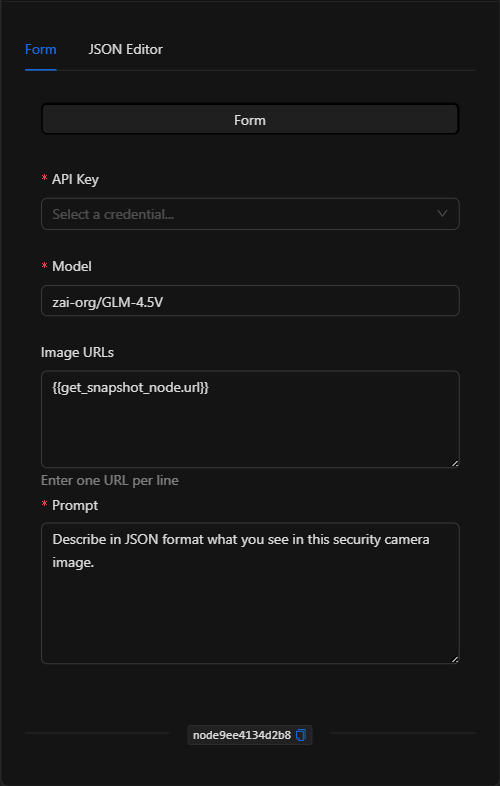
The node has two configuration tabs at the top: Form and JSON Editor.
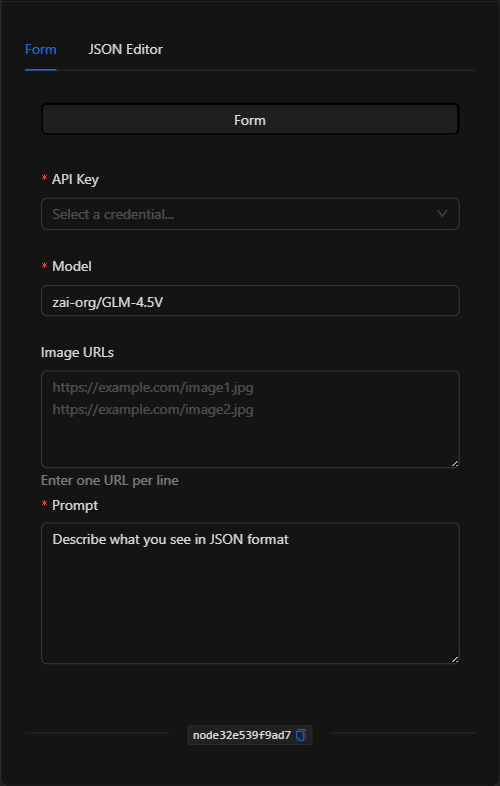
Form View
1. API Key *Required
Select the Hugging Face credential that authenticates access (managed in a centralized and secure way).
2. Model *Required
The identifier of the Hugging Face model to use, in organization/model format (e.g., zai-org/GLM-4.5V).
3. Image URLs
The URLs of the images to analyze (one per line). Supports template expressions (e.g., {{get_snapshot_node.url}}).
4. Prompt *Required
The instruction or question for the model. Supports template expressions.
JSON Editor View
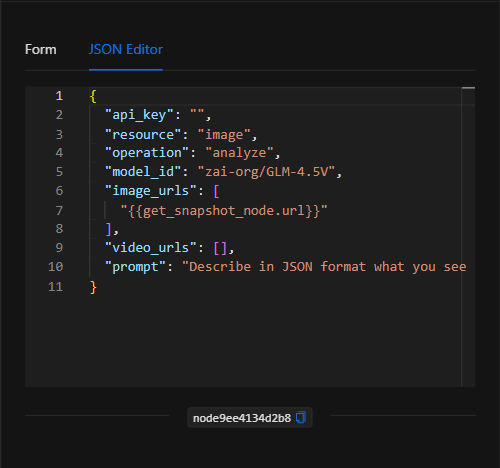
JSON Structure (Input Parameters)
{
  "api_key": "",
  "resource": "image",
  "operation": "analyze",
  "model_id": "zai-org/GLM-4.5V",
  "image_urls": [
    "{{get_snapshot_node.url}}"
  ],
  "video_urls": [],
  "prompt": "Describe in JSON format what you see in this security camera image."
}
JSON Fields
| Field | Type | Description |
|---|---|---|
api_key |
string | Reference to the Hugging Face credential (managed securely). |
resource |
string | Resource type (image). |
operation |
string | Operation (analyze). |
model_id |
string | Hugging Face model ID (e.g. zai-org/GLM-4.5V). |
image_urls |
array (string) | URLs of the images to analyze. |
video_urls |
array (string) | URLs of videos (if applicable). |
prompt |
string | The instruction/question for the model. |
Output: Where the node's data comes from
The analysis result (text generated by the model) is available in the node's output and can be used in downstream nodes with {{node_key}}.
Usage Examples
Example 1: Image analysis with an open vision model
Use case: Analyze a camera snapshot with a Hugging Face vision model to obtain a structured description.
- Model:
zai-org/GLM-4.5V - Image URLs:
{{get_snapshot_node.url}} - Prompt:
Describe in JSON format what you see in this security camera image.
(see JSON structure above)
Validation and Errors
| Condition | Common cause / fix |
|---|---|
| Authentication error | The Hugging Face credential is invalid or lacks permissions. |
| Model not found | Verify that the model_id (org/model) exists and is accessible with your token. |
| URLs not working | Make sure the image URLs are publicly accessible. |
Best Practices
- Use centralized credentials: Do not write the Hugging Face token in the node.
- Choose a vision model: For image analysis, select a multimodal/vision model.
- Request structured outputs: Ask for JSON in the prompt when you plan to process the result in downstream nodes.
- Chain with snapshot capture: Typical pattern: Get snapshot → Hugging Face → condition/notification.