Documentation: Base64 to File Node
Overview
The Base64 to File Node is an action node that converts a Base64-encoded string into a real file hosted on the platform, returning its URL. It is the piece that allows you to "materialize" binary data (images, documents, video) that arrives or is generated in Base64 format within a flow.
In IoT environments, many devices, APIs, and AI models deliver images or documents as Base64 strings. This node transforms them into URL-accessible files, ready to be attached to an email, recorded as evidence, or displayed on a dashboard.
When to use this node?
Use this node when you need to:
- Convert a Base64 image (coming from a webhook, a camera, or an AI node) into a file with a URL.
- Materialize documents or reports generated in Base64 (PDF, etc.).
- Save binary content received in the flow as evidence.
- Prepare a file to attach to an email, upload to external storage, or display to a user.
Node Configuration
The node has two configuration tabs at the top: Form and JSON Editor.
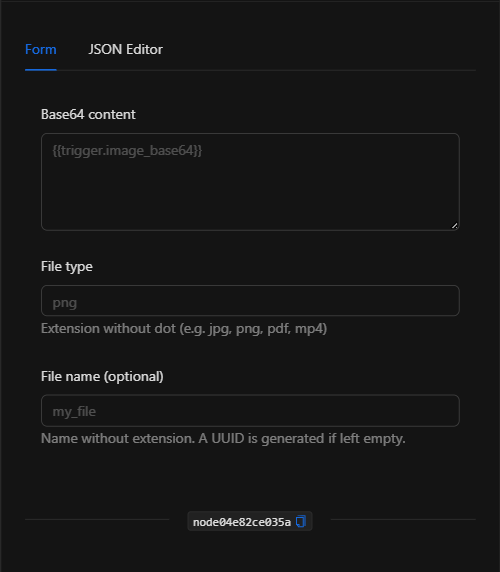
Form View
1. Base64 Content
The Base64-encoded text string that will be converted into a file. The usual approach is to reference it dynamically from a previous node using a template expression (for example, {{trigger.image_base64}} or the output of an image analysis node).
2. File Type
The extension of the file to generate, without the dot (for example, jpg, png, pdf, mp4).
3. File Name *Optional
The file name without extension. If left empty, the platform automatically generates a UUID.
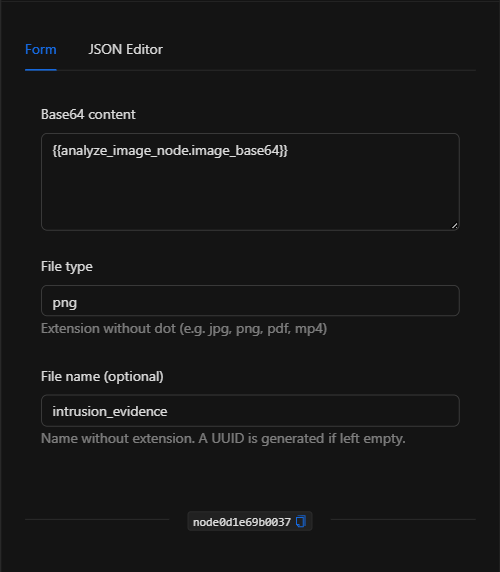
JSON Editor View
In the JSON Editor tab you can view and directly edit the node's parameters:
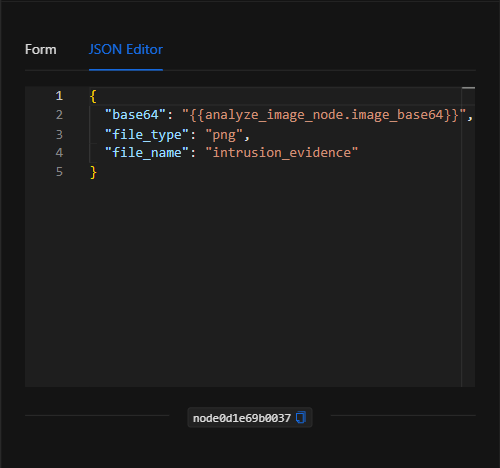
JSON Structure (Input Parameters)
Below is the JSON structure generated when configuring the node:
{
  "base64": "{{analyze_image_node.image_base64}}",
  "file_type": "png",
  "file_name": "intrusion_evidence"
}
JSON Fields
| Field | Type | Description |
|---|---|---|
base64 |
string | The Base64-encoded string to convert. Usually a template expression. |
file_type |
string | File extension, without the dot (e.g. png, pdf, mp4). |
file_name |
string | (Optional) File name without extension. If empty, a UUID is generated. |
Output: Where the node's data comes from
When the conversion executes successfully, the node generates the file and returns in its Output the URL of the created file, which can be used in subsequent nodes:
{{node_key.url}}
(Remember to replace node_key with the key automatically assigned to the node on the canvas.)
TIP: If the file needs to be accessed from outside the internal network, convert the internal Docker URL to its public domain path.
Usage Examples
Example 1: Materialize an AI image as evidence
Use case: An AI image analysis node returns an annotated image in Base64. This node converts it into a PNG file to attach to an alert email.
- Base64 content:
{{analyze_image_node.image_base64}} - File type:
png - File name:
intrusion_evidence
Configuration JSON:
{
  "base64": "{{analyze_image_node.image_base64}}",
  "file_type": "png",
  "file_name": "intrusion_evidence"
}
Example 2: Save a PDF document received via webhook
Use case: A webhook delivers a Base64-encoded PDF; the node converts it into a file for storage or distribution.
- Base64 content:
{{trigger.body.document_base64}} - File type:
pdf
Validation and Errors
| Condition | Common cause / fix |
|---|---|
Invalid base64 |
The string is not valid Base64. Verify that the source delivers correct encoding (without the data:...;base64, prefix if the system does not expect it). |
| Incorrect file type | Make sure to use the extension without the dot (png, not .png). |
| The file does not open | The file_type does not match the actual content of the string. |
Best Practices
- Reference dynamically: Use template expressions to take the Base64 from previous nodes rather than pasting it manually.
- Type consistency: Ensure the extension (
file_type) matches the actual content of the Base64 string. - Meaningful names: Assign a descriptive
file_namewhen the file is evidence or a report, to make it easier to identify later. - Chain with send/storage: Combine this node with Send Email, external storage, or dashboards to make use of the generated file.