Documentation: GPT Action (AI Analysis with OpenAI)
Overview
The GPT Action is an automation node that allows you to use OpenAI (GPT) artificial intelligence models to process and analyze different types of content: text, images, audio, and video. It is part of the AI Models node family and shares the same structure as actions from other providers (Gemini, Claude, Grok).
In IoT and security environments, this node allows you, for example, to automatically analyze a camera image with AI when an alarm is triggered (detect people, vehicles, objects), generate descriptions, or process texts and reports.
When to use this action?
Use this action when you need to:
- Analyze images from cameras automatically (detect people/objects, read text, describe the scene).
- Generate images from text descriptions.
- Analyze video to extract information or detect events.
- Process text (summarize, translate, extract data) with AI.
- Integrate OpenAI capabilities into your automations.
Node Configuration
The configuration is divided into two sections, switchable with the top selector: Basic Configuration and Prompt Configuration. It also includes the JSON Editor tab.
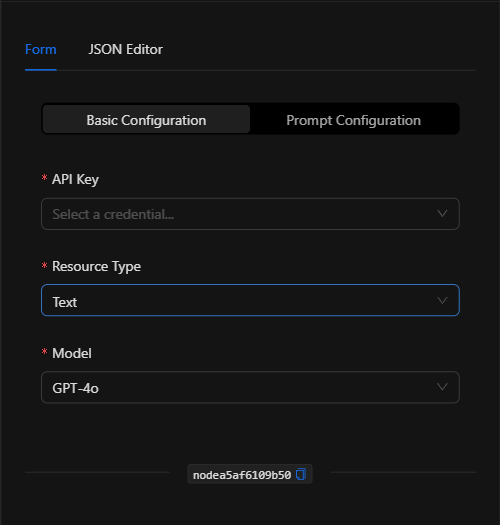
Section: Basic Configuration
1. API Key *Required
Select the OpenAI credential that authenticates access. The credential is managed in a centralized and secure way (the API key is not written directly in the node).
2. Resource Type *Required
The type of content to process: Text, Image, Audio, or Video. Determines which additional fields appear.
3. Model *Required
The OpenAI model to use:
| Model | Value |
|---|---|
| GPT-4o | gpt-4o |
| GPT-4o Mini | gpt-4o-mini |
| GPT-4 Turbo | gpt-4-turbo |
| GPT-4 | gpt-4 |
| GPT-3.5 Turbo | gpt-3.5-turbo |
| o1 | o1 |
| o1-mini | o1-mini |
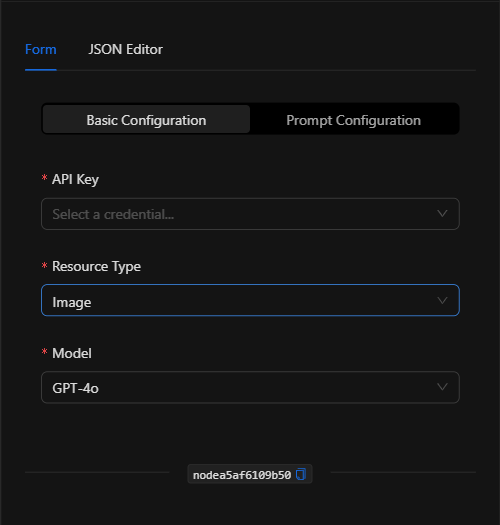
Section: Prompt Configuration
4. Operation *For Image and Video
- For Image:
Generate Image(generate) orAnalyze Image(analyze). - For Video:
Analyze Video. - For Text and Audio it does not appear (only one operation is available).
5. Image / Video URLs
For image or video analysis, enter the URLs (one per line). Supports template expressions (e.g., {{get_snapshot_node.url}} to analyze the snapshot obtained by a previous node).
6. Prompt *Required
The instruction or question for the model (e.g., "Are there people in this security image?"). Supports template expressions.
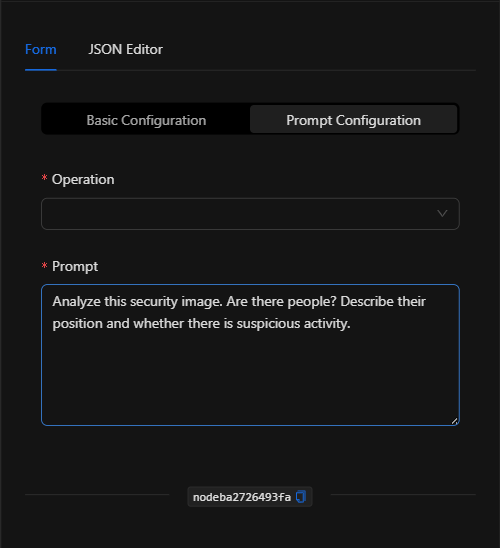
JSON Editor View
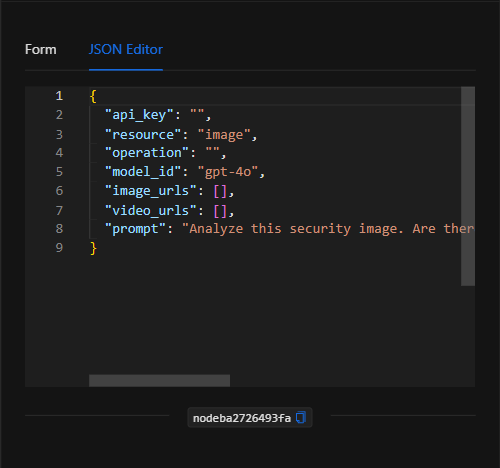
JSON Structure (Input Parameters)
{
  "api_key": "",
  "resource": "image",
  "operation": "analyze",
  "model_id": "gpt-4o",
  "image_urls": [
    "{{get_snapshot_node.url}}"
  ],
  "video_urls": [],
  "prompt": "Analyze this security image. Are there people? Describe their position and whether there is suspicious activity."
}
JSON Fields
| Field | Type | Description |
|---|---|---|
api_key |
string | Reference to the OpenAI credential (managed securely). |
resource |
string | Resource type: text, image, audio, video. |
operation |
string | Operation (for image: generate/analyze; for video: analyze_video). |
model_id |
string | GPT model ID (e.g. gpt-4o). |
image_urls |
array (string) | URLs of images to analyze. |
video_urls |
array (string) | URLs of videos to analyze. |
prompt |
string | The instruction/question for the model. |
Output: Where the node's data comes from
The analysis result (text generated by the model, description, extracted data, or, for image generation, the resulting URL) is available in the node's output and can be used in downstream nodes with {{node_key}}.
Usage Examples
Example 1: Intelligent alarm verification with a camera
Use case: When a motion alarm triggers, a Get snapshot node captures the camera image and this node analyzes it with GPT-4o to confirm whether there is actually a person.
- Resource Type:
Image| Model:gpt-4o - Operation:
Analyze Image - Image URLs:
{{get_snapshot_node.url}} - Prompt:
Analyze this security image. Are there people? Describe their position and whether there is suspicious activity.
(see JSON structure above)
Example 2: Summary of a text report
Use case: Process a long text (e.g., a log) to extract the key ideas.
- Resource Type:
Text - Prompt:
Summarize the following text in 3 key points: {{trigger.body.text}}
Validation and Errors
| Condition | Common cause / fix |
|---|---|
| Authentication error | The OpenAI credential is invalid or lacks permissions/balance. |
| URLs not working | Make sure the image/video URLs are publicly accessible (convert internal Docker URLs to their public path). |
| Usage limit exceeded | Check the limits/quota on your OpenAI account; consider a lighter model (gpt-4o-mini). |
Best Practices
- Use centralized credentials: Do not write the API key in the node; select a credential managed securely.
- Choose the right model: Use
gpt-4o/gpt-4o-minifor vision; lighter models to reduce costs. - Specific prompts: Ask concrete questions to get actionable responses (ideal for confirming or dismissing alarms).
- Chain with snapshot capture: The typical pattern is Get snapshot → GPT (Analyze Image) → condition/notification based on the result.