Documentation: Human Confirmation Tool Node
Overview
The Human Confirmation Tool Node is a tool for AI Agents that pauses automation execution and requests approval from a person via a dashboard notification, before allowing the protected tools/actions that follow to be executed.
It is a security and governance mechanism for AI-driven flows: it ensures that a human explicitly validates sensitive actions (opening a barrier, disarming an alarm, executing a critical command) before the agent performs them autonomously.
When to use this node?
Use this node when you need to:
- Require human approval before an Agent executes a critical action.
- Implement a human-in-the-loop checkpoint in AI-driven automated flows.
- Meet governance/security requirements that prohibit fully autonomous actions in sensitive operations.
Architecture: Agent tool
This node connects as a Tool of an Agent. When the agent attempts to use a protected capability, this node intercepts the flow, sends an approval notification, and waits for the human response (or timeout expiration) before continuing.
Node Configuration
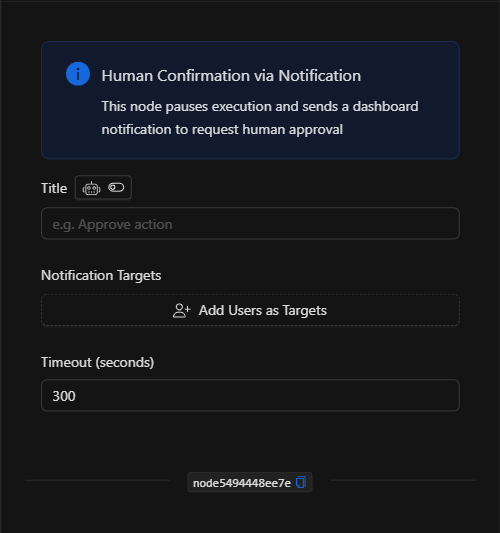
Form View
An informational message reminds you of the node's function: "This node pauses execution and sends a dashboard notification to request human approval".
1. Title
The title of the approval request that the user will see (e.g., Confirm vehicle barrier opening). This field supports AI mode (the icon next to the label allows the AI to determine the value based on context).
2. Notification Targets
The users who will receive the approval request. Click Add Users as Targets to select them.
3. Timeout (seconds)
The maximum time (in seconds) the node will wait for a human response before expiring (default 300). Valid range: 1 to 86400 seconds.
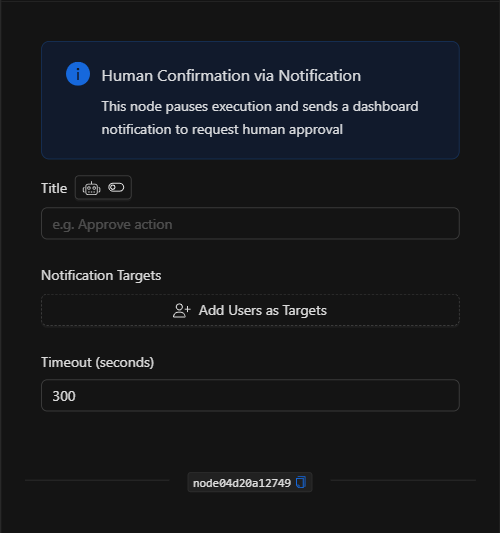
JSON Structure (Input Parameters)
{
  "title": "Confirm vehicle barrier opening",
  "session_id": "{{trigger.session_id}}",
  "targets": [],
  "timeout_seconds": 300
}
JSON Fields
| Field | Type | Description |
|---|---|---|
title |
string | Title of the approval request shown to the user. |
session_id |
string | Session identifier (links the confirmation to the agent's conversation). |
targets |
array (string) | Users who receive the approval notification. |
timeout_seconds |
number | Maximum time to wait for a human response (default 300). |
Output: Where the node's data comes from
The node's result reflects the human decision (approved / rejected) or the timeout expiration. The Agent uses this result to decide whether or not to execute the protected actions. If there is no approval (rejection or timeout), the sensitive actions are not executed.
Usage Examples
Example 1: Approval before opening a vehicle barrier
Use case: An agent that manages access can open a barrier, but only after the shift supervisor's approval.
- Title:
Confirm vehicle barrier opening - Notification Targets: Shift supervisor.
- Timeout:
300seconds.
(see JSON structure above)
Example 2: Validate alarm disarming
Use case: Before an agent disarms an alarm panel, confirmation from a security officer is required.
Validation and Errors
| Condition | Common cause / fix |
|---|---|
| Nobody receives the request | Add at least one user in Notification Targets and verify they have an active session. |
| The action is not executed | This is the expected behavior when there was no approval (rejection or timeout expiration). |
| Expires too quickly/slowly | Adjust timeout_seconds to match the reasonable response time of the responsible person. |
Best Practices
- Protect only what is critical: Use this tool for truly sensitive actions, so as not to disrupt the flow with unnecessary approval requests.
- Clear titles: Write the title so that the approver understands exactly what they are authorizing.
- Appropriate recipients: Direct the request to whoever has the authority to approve the action.
- Sensible timeout: Define a wait time appropriate to the urgency and personnel availability.