Documentation: Vector Store RAG Node
Overview
The Vector Store RAG Node is a node in the AI Models family that allows you to insert documents into a vector store to enable RAG (Retrieval Augmented Generation). It converts content from a source (a document, text, or URL) into vector embeddings that an Agent can later retrieve to answer questions with domain-specific knowledge.
In IoT and industrial environments, it is ideal for giving an Agent domain knowledge: operation manuals, safety procedures, equipment data sheets, etc., so that the assistant responds with accurate, organization-specific information.
When to use this node?
Use this node when you need to:
- Load documents (manuals, procedures, data sheets) into a vector store.
- Give an Agent domain-specific knowledge so it can answer precisely (RAG).
- Index content for subsequent semantic searches.
Architecture: connecting Embedding, Loader, and Database
This node works alongside other nodes connected to it on the canvas via its connectors: Embedding (embeddings model), Loader (document loader), and DB (vector database, e.g., Redis Vector DB).
Node Configuration
The node has two configuration tabs: Form and JSON Editor.
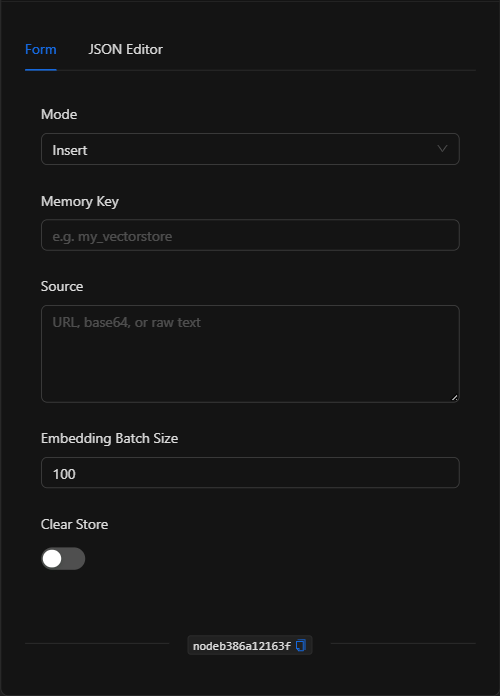
Form View
1. Mode
The operation to perform. Available option: Insert (insert documents into the store).
2. Memory Key
Identifier of the vector store where the documents will be saved (e.g., plant_manuals). Allows you to group knowledge and retrieve it later.
3. Source
The content to index. Accepts a URL, base64-encoded content, or plain text (e.g., the URL of an operation manual).
4. Embedding Batch Size
Number of chunks processed per batch when generating embeddings (default 100).
5. Clear Store
Toggle that, when enabled, empties the store before inserting (useful for re-indexing from scratch).
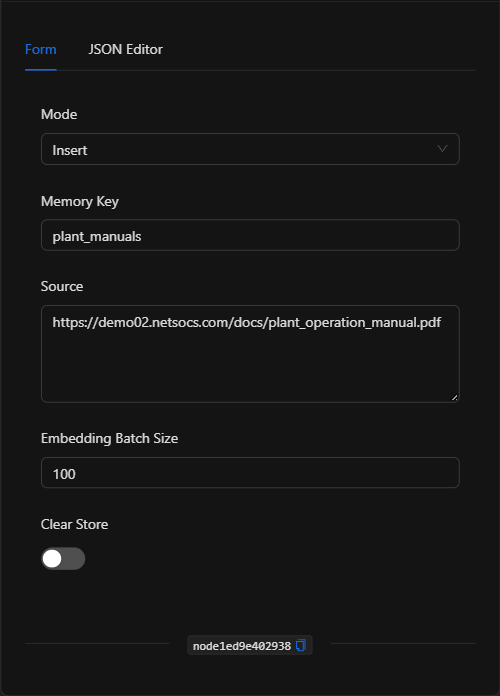
JSON Editor View
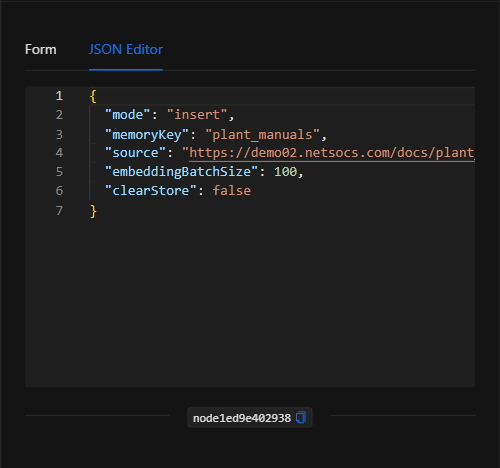
JSON Structure (Input Parameters)
{
  "mode": "insert",
  "memoryKey": "plant_manuals",
  "source": "https://demo02.netsocs.com/docs/plant_operation_manual.pdf",
  "embeddingBatchSize": 100,
  "clearStore": false
}
JSON Fields
| Field | Type | Description |
|---|---|---|
mode |
string | Operation (insert). |
memoryKey |
string | Vector store identifier. |
source |
string | Content to index (URL, base64, or plain text). |
embeddingBatchSize |
number | Batch size for generating embeddings (default 100). |
clearStore |
boolean | If true, empties the store before inserting. |
Output: Where the node's data comes from
When executed successfully, the content is indexed in the vector store under the specified memoryKey, making it available for an Agent to retrieve. The node confirms the operation upon completion (green border).
Usage Examples
Example 1: Index the plant operation manual
Use case: Load the operation manual so an Agent can answer operator questions based on it.
- Mode:
insert - Memory Key:
plant_manuals - Source: URL of the manual (PDF).
(see JSON structure above)
Example 2: Re-index safety procedures
Use case: Update loaded procedures by clearing the previous store first.
- Clear Store: enabled.
Validation and Errors
| Condition | Common cause / fix |
|---|---|
| Content is not indexed | Verify that source is accessible (public URL) or that the text/base64 is valid. |
| Missing embeddings model | Connect an Embedding node to the corresponding connector. |
| Missing database | Connect a vector database (e.g., Redis Vector DB) to the DB connector. |
Best Practices
- Use descriptive memory keys: Group knowledge by topic (
plant_manuals,safety_procedures). - Connect embedding and DB: This node requires a connected embeddings model and vector database.
- Re-index carefully: Use Clear Store only when you want to replace all content in the store.
- Chain with an Agent: The value of RAG materializes when an Agent retrieves this knowledge to answer questions.