Documentation: Redis Vector DB Node
Overview
The Redis Vector DB Node is a node in the AI Models family that configures a connection to a Redis database used as a vector store for RAG (Retrieval Augmented Generation) flows. It connects to a Vector Store RAG node (or to an Agent) to provide the backend where document embeddings are stored and retrieved.
In IoT and industrial environments, it allows you to persist domain knowledge (manuals, procedures) in Redis in a fast and scalable way, so Agents can query it.
When to use this node?
Use this node when you need to:
- Provide a Redis-based vector database to a Vector Store RAG node or an Agent.
- Persist document embeddings for semantic searches.
- Scale knowledge storage using an existing Redis infrastructure.
Node Configuration
The node has two configuration tabs: Form and JSON Editor.
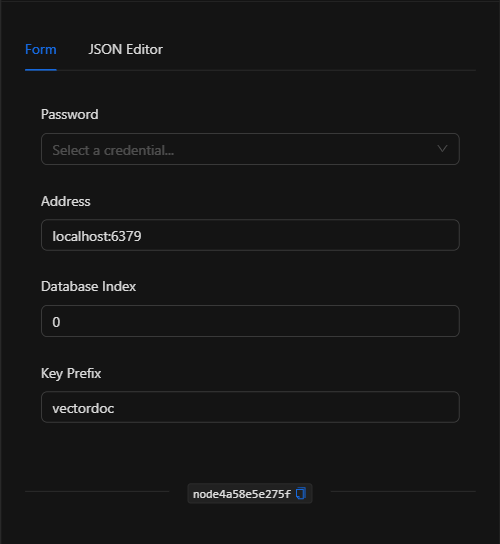
Form View
1. Password
Select the Redis credential that authenticates the connection (managed centrally and securely).
2. Address
The Redis server address in host:port format (default localhost:6379).
3. Database Index
The Redis database number to use (default 0).
4. Key Prefix
The prefix under which vector documents are stored in Redis (default vectordoc). It is advisable to use a descriptive prefix per knowledge collection.
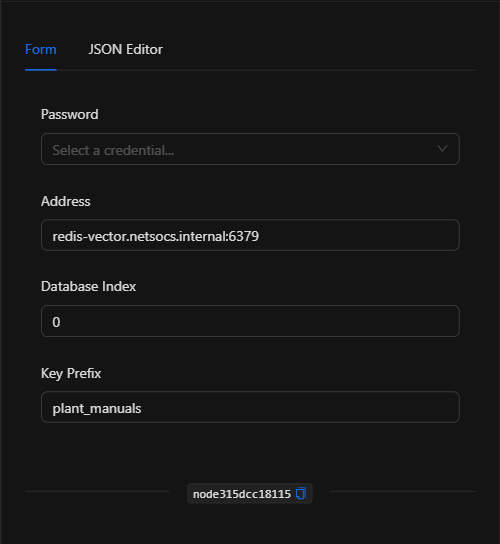
JSON Editor View
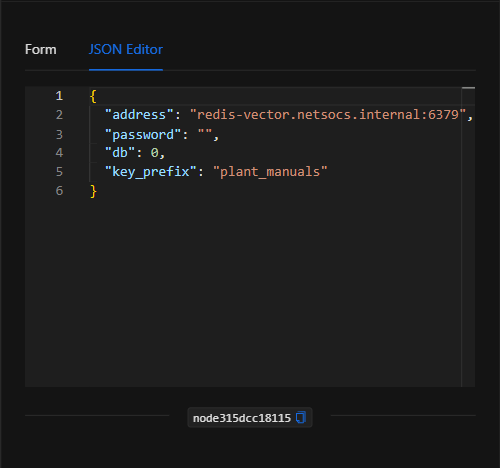
JSON Structure (Input Parameters)
{
  "address": "redis-vector.netsocs.internal:6379",
  "password": "",
  "db": 0,
  "key_prefix": "plant_manuals"
}
JSON Fields
| Field | Type | Description |
|---|---|---|
address |
string | Redis server address (host:port). |
password |
string | Reference to the Redis credential (managed securely). |
db |
number | Redis database index (default 0). |
key_prefix |
string | Key prefix under which vectors are stored (default vectordoc). |
Output: Where the node's data comes from
This node provides the connection to the vector database; its effect materializes when a Vector Store RAG node or an Agent uses it to save or retrieve embeddings. It does not produce a data payload on its own.
Usage Examples
Example 1: Vector store backend for RAG
Use case: Connect this node to a Vector Store RAG so that indexed documents (plant manuals) are persisted in Redis.
- Address:
redis-vector.netsocs.internal:6379 - Key Prefix:
plant_manuals
(see JSON structure above)
Validation and Errors
| Condition | Common cause / fix |
|---|---|
| Cannot connect to Redis | Check the address and verify that the Redis server is accessible from the platform. |
| Authentication error | The Redis credential is incorrect. |
| Data conflicts | Use a different key_prefix per collection to avoid mixing knowledge sets. |
Best Practices
- Use centralized credentials: Do not write the password directly in the node; select a securely managed Redis credential.
- Descriptive prefixes: Assign a
key_prefixper knowledge type to keep data organized. - Connect with Vector Store RAG: This node is used as the backend for the indexing/retrieval node.
- Reuse infrastructure: Leverage an existing Redis instance to scale embedding storage.