Documentation: Events Natural Search Node
Overview
The Events Natural Search Node is a node in the AI Models family that allows you to query the platform's event log using natural language. Internally, a language model (LLM) translates your everyday-language question (e.g., "motion events in the north perimeter camera this week") into a structured search over the event log and returns the matching events.
In IoT and security environments, this greatly simplifies access to information: instead of building complex filters, you simply describe what you are looking for, enabling assistants and automations that reason over historical event data.
When to use this node?
Use this node when you need to:
- Search events from the history by describing what you want in natural language.
- Feed an Agent or a report with relevant events without building manual filters.
- Retrieve events by complex criteria (type, camera, relative dates) in a straightforward way.
Node Configuration
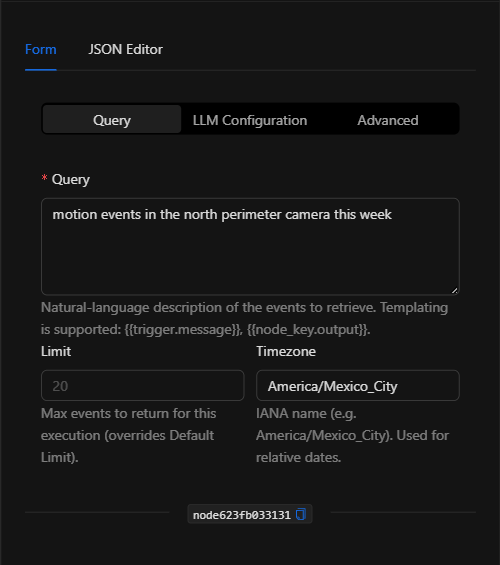
The form is organized into three selectable sections: Query, LLM Configuration, and Advanced. It also has a JSON Editor tab.
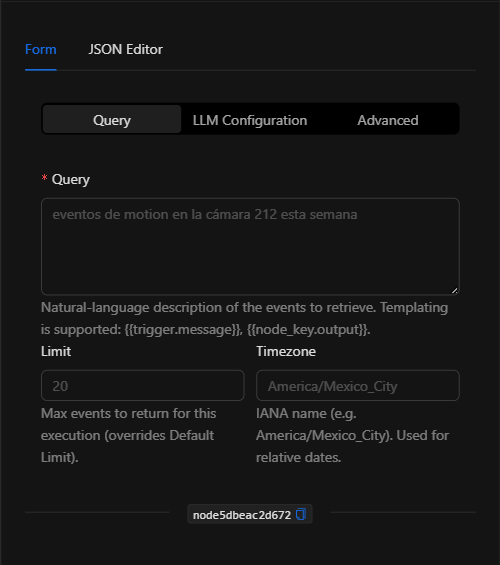
Section: Query
1. Query *Required
The natural language description of the events to retrieve. Supports template expressions ({{trigger.message}}, {{node_key.output}}). For example: "motion events in the north perimeter camera this week".
2. Limit
Maximum number of events to return in this execution (overrides the Default Limit).
3. Timezone
IANA timezone name (e.g., America/Mexico_City). Used to interpret relative dates such as "this week" or "yesterday".
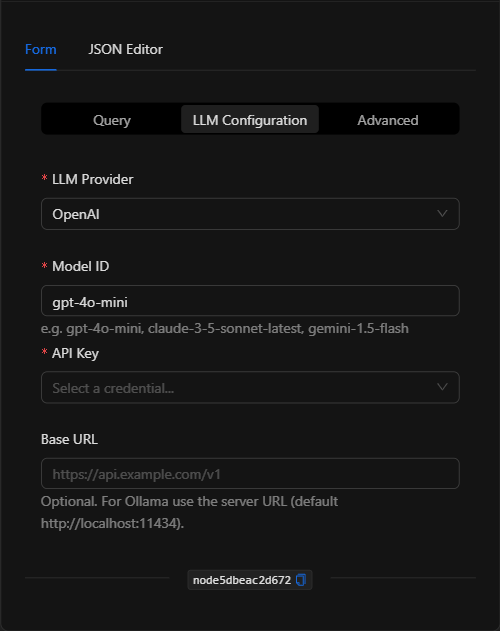
Section: LLM Configuration
Defines the language model that interprets the query:
- LLM Provider: OpenAI, Anthropic, Google AI (Gemini), Grok (xAI), DeepSeek, Ollama, AWS Bedrock, or Hugging Face.
- Model ID: The model identifier (e.g.,
gpt-4o-mini,claude-3-5-sonnet-latest,gemini-1.5-flash). - API Key: The selected provider's credential (managed securely). For Ollama and Bedrock the fields differ (Base URL, AWS region/credentials).
Section: Advanced
Fine-grained parameters for the search/context process:
- Default Limit / Max Limit: Default and maximum event limits.
- Top Event Types: Number of the most frequent event types to consider as context.
- Top Metadata Keys: Number of the most relevant metadata keys to consider.
- Samples per Key: Number of samples per metadata key.
JSON Editor View
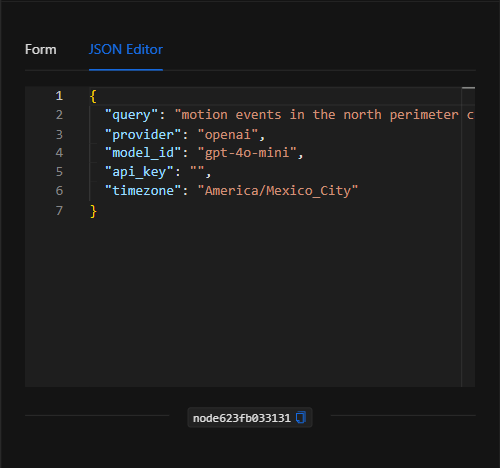
JSON Structure (Input Parameters)
{
  "query": "motion events in the north perimeter camera this week",
  "provider": "openai",
  "model_id": "gpt-4o-mini",
  "api_key": "",
  "timezone": "America/Mexico_City"
}
JSON Fields
| Field | Type | Description |
|---|---|---|
query |
string | Natural language description of the events to search for. |
provider |
string | LLM provider (openai, anthropic, google, grok, deepseek, ollama, bedrock, huggingface). |
model_id |
string | Model ID (e.g., gpt-4o-mini). |
api_key |
string | Reference to the provider credential (managed securely). |
limit |
number | Optional Maximum events to return in this execution. |
timezone |
string | Optional IANA timezone for relative dates. |
default_limit / max_limit |
number | (Advanced) Default and maximum limits. |
top_event_types / top_metadata_keys / samples_per_key |
number | (Advanced) Context parameters for the search. |
Output: Where the node's data comes from
The node returns in its Output the list of events that match the query. This output can be used in downstream nodes with {{node_key}} (e.g., to iterate over them, summarize them, or send notifications).
Usage Examples
Example 1: Search for this week's motion events
Use case: Retrieve the motion events from a specific camera over the past week to include in a report.
- Query:
motion events in the north perimeter camera this week - Provider:
openai| Model ID:gpt-4o-mini - Timezone:
America/Mexico_City
(see JSON structure above)
Example 2: Feed an Agent with relevant events
Use case: An Agent that answers security questions uses this node (or its equivalent tool) to retrieve the relevant events before reasoning.
Validation and Errors
| Condition | Common cause / fix |
|---|---|
| Empty result | Rephrase the query or widen the time range; verify that matching events exist. |
| Authentication error | The provider credential/API Key is invalid or has no remaining balance. |
| Dates misinterpreted | Configure the Timezone correctly so that relative dates are calculated properly. |
Best Practices
- Clear queries: Describe precisely what events you are looking for (type, location, time period).
- Configure the timezone: Essential for correctly interpreting "today", "this week", etc.
- Use centralized credentials: Select a securely managed provider credential.
- Chain with Iterate/Notify: Combine the output with Iterate Items, reports, or notifications to put the retrieved events to use.